

@telnyx/node-red-telnyx)

Overview
Node-RED is an open-source flow-based programming tool that provides a visual development environment for building applications by wiring together nodes. It was originally developed by IBM Emerging Technology Services and is now part of the JS Foundation. Node-RED allows users to create applications and services by connecting pre-built nodes together in a flowchart-like manner. Each node represents a specific task or function, such as reading data from a sensor, processing data, making decisions, or interacting with external systems. Users can drag and drop nodes onto a canvas, connect them together, and configure their properties. The flows created in Node-RED are executed by a runtime engine, which runs on a server or device where Node-RED is installed. The runtime executes the flow in a sequential manner, passing data between nodes as it progresses through the flow. The flows can be easily modified and deployed, making it a flexible tool for building and prototyping Internet of Things (IoT) applications, automation workflows, and data integration processes.Start the journey
node-red-telnyx is the Telnyx powerful integration that allows you to combine the capabilities of Node-RED, a flow-based programming tool, with Telnyx, a cloud-based communications platform. With node-red-telnyx, you can create complex workflows and automate various telecommunications tasks. node-red-telnyx can be integrated with other services and platforms through Node-RED’s extensive library of nodes. You can connect Telnyx’s communications capabilities with databases, APIs, messaging platforms, and IoT devices to build end-to-end automation solutions. e.g., you can use node-red-telnyx to send SMS messages programmatically. This can be useful for notifications, alerts, or two-factor authentication (2FA) purposes. You can configure the flow to trigger SMS messages based on specific events or conditions. To get started, sign up for a Portal account, then follow the steps in our quickstart guide to buy an SMS-enabled number.Usage
The package needs to be configured with your MCP account’s API key and some other details you can find in the Telnyx Mission Control Portal.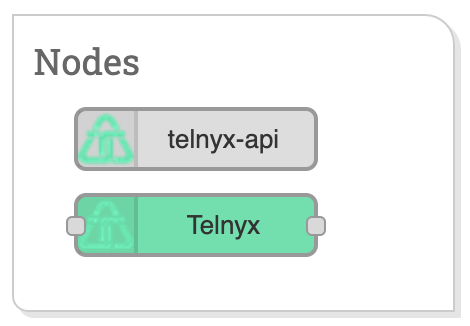
- Alphanumeric: Alphanumeric Sender ID allows you to set your company name or brand as the Sender ID when sending one-way SMS messages to international destinations. Find more information here.
- Two-way: You’ll need an SMS-capable phone number purchased from, or ported into, the Telnyx platform. If purchasing a new number, select the SMS number feature when searching. In general, numbers that are ported in will be messaging-capable. Learn more.
Resources
- Node-RED pages
- Example flows using node-red-telnyx
- Getting Started Video (Coming Soon)
Support
Our team provides open source support in a best effort fashion, ensuring that we offer assistance and guidance to the community based on our expertise and resources. For support, install the@telnyx/node-red-telnyx package from npm and reach out via the Telnyx support center with questions or issues.