Introduction
Private Wireless Gateway (PGW) is an element that routes traffic between a group of Telnyx SIMs and other network elements. Refer to this guide for more information on PGW.
Creating a PGW
Step 1: Create a Network
Follow this guide.
Step 2: Check for Coverage
Follow this guide. Use filter[available_services][contains]=private_wireless_gateway to look for a desired site at which to deploy the WGW.
Currently, Ashburn, VA is the only supported site. We are working on making more sites available.
Step 3: Create a PGW
Once a PGW is created on a specific network, it cannot be “migrated” to another one; it needs to be recreated on the other network. Double check the correct network_id is used in the following API request.
POST /v2/private_wireless_gateways HTTP/1.1
Host: api.telnyx.com
Content-Type: application/json
Authorization: Bearer XXX
Content-Length: 115

{
  "network_id": "f09e6854-fdef-4581-b3bc-63c2008fc4b5",
  "name": "pgw-08160937",
  "region_code": "ashburn-va"
}
provisioning.
{
    "data": {
        "assigned_resources": [
            {
                "count": null,
                "record_type": "sim_card_group"
            }
        ],
        "created_at": "2024-08-16T14:37:47Z",
        "id": "2280aa63-b9b8-4d8a-867a-ff153e5ec422",
        "ip_range": "100.64.199.0/24",
        "name": "pgw-08160937",
        "network_id": "f09e6854-fdef-4581-b3bc-63c2008fc4b5",
        "record_type": "private_wireless_gateway",
        "region_code": "ashburn-va",
        "status": {
            "error_code": null,
            "error_description": null,
            "value": "provisioning"
        },
        "updated_at": "2024-08-16T14:37:47Z"
    }
}
Step 4: Wait for Status Transition
The expected time for status.value to transition to provisioned is approximately 15 minutes. You can poll the PGW to check for status.
GET /v2/private_wireless_gateways/2280aa63-b9b8-4d8a-867a-ff153e5ec422 HTTP/1.1
Host: api.telnyx.com
Authorization: Bearer XXX
Step 5: Attach a SIM Group
The PGW is of little use when there is no SIMs are attached to it. Individual SIM must be added to a SIM group which then can be attached to the PGW. This is easily accomplished on the Mission Control Portal.
PGW will show the SIM group after a successful attachment.
{
    "data": {
        "assigned_resources": [
            {
                "count": 1,
                "record_type": "sim_card_group"
            }
        ],
        "created_at": "2024-08-16T14:37:47Z",
        "id": "2280aa63-b9b8-4d8a-867a-ff153e5ec422",
        "ip_range": "100.64.199.0/24",
        "name": "pgw-08160937",
        "network_id": "f09e6854-fdef-4581-b3bc-63c2008fc4b5",
        "record_type": "private_wireless_gateway",
        "region_code": "ashburn-va",
        "status": {
            "error_code": null,
            "error_description": null,
            "value": "provisioned"
        },
        "updated_at": "2024-08-16T15:08:15Z"
    }
}
Use Cases
In the following examples, abbreviations are consistently used for brevity.
- PWG = Private Wireless Gateway
- WGW = Wireguard Gateway
- IGW = Internet Gateway
- VXC = Virtual Cross Connect
Use Case 1: PWG + WGW
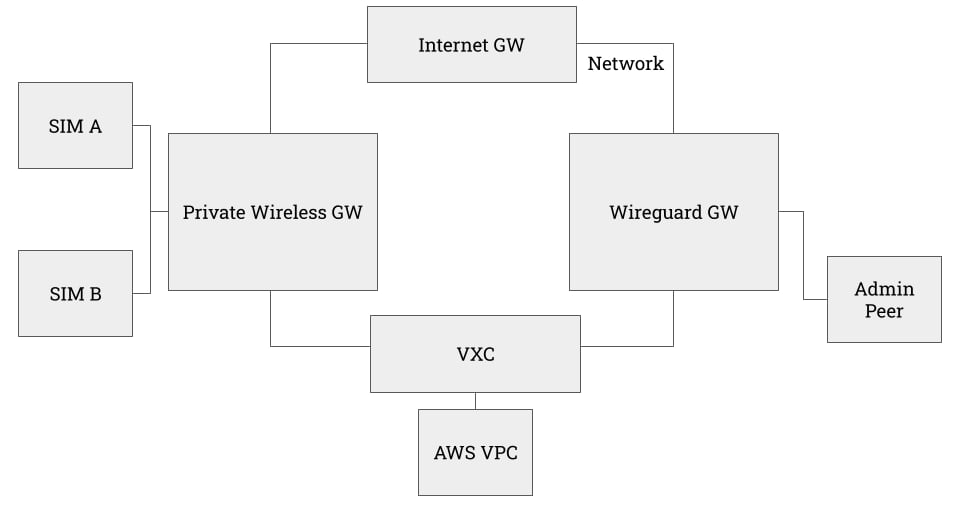
We will construct this architecture which is useful when
- Traffic to and from SIMs needs to be segmented and private, and
- They do not need high bandwidth connection back to your internal service.
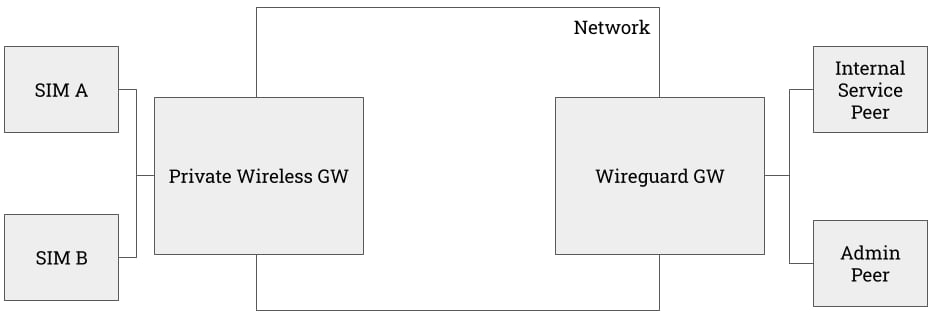 In the following example
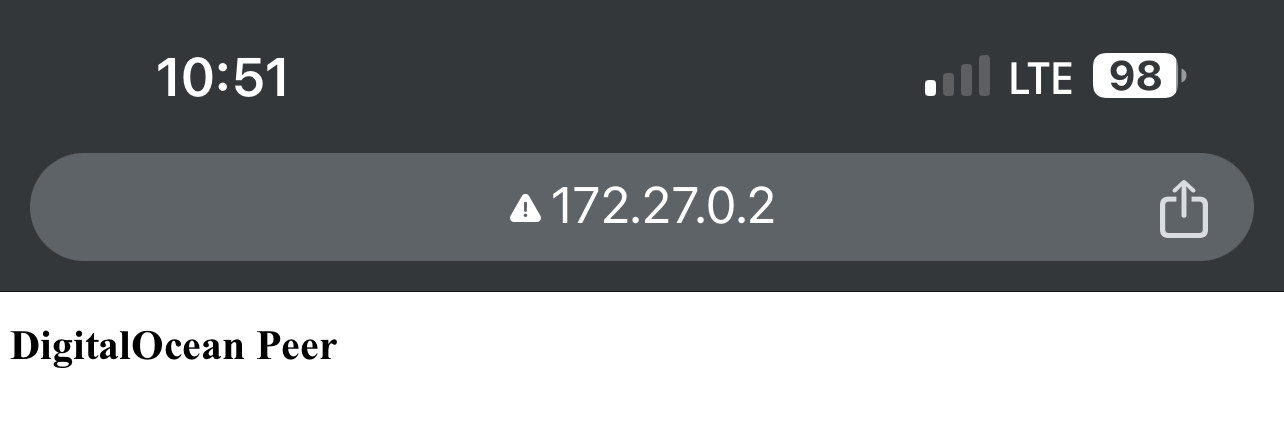
- The connected device is an iPhone.
- It only has access to the peers attached to the WGW; there exists no default route for them.
- Internal Service Peer is a Droplet on DigitalOcean that runs an toy Apache web server.
- Admin Peer is a local host.
Detailed WGW and Peer setup guide can be found here.
On both peers, ensure that both the WGW subnet and the PGW subnet are on the AllowedIPs of the [Peer] config.
[Peer]
PublicKey = XXX
AllowedIPs = 172.27.0.0/24, 100.64.199.0/24
Endpoint = XXX
PersistentKeepalive = XXX
root@ubuntu-s-1vcpu-512mb-10gb-nyc1-01:~# traceroute 100.64.199.1
traceroute to 100.64.199.1 (100.64.199.1), 64 hops max
  1   172.27.0.1  21.591ms  21.000ms  20.677ms
  2   *  *  *
  3   *  *  *
  4   *  *  *
  5   100.64.199.1  885.269ms  179.245ms  171.923ms
Use Case 2: PWG + WGW + IGW
The above architecture lacks a crucial functionality --- internet reachability. Though a workaround can be constructed by using one of the peers as an exit node for all default traffic, it’s far better to attach an IGW to the network.
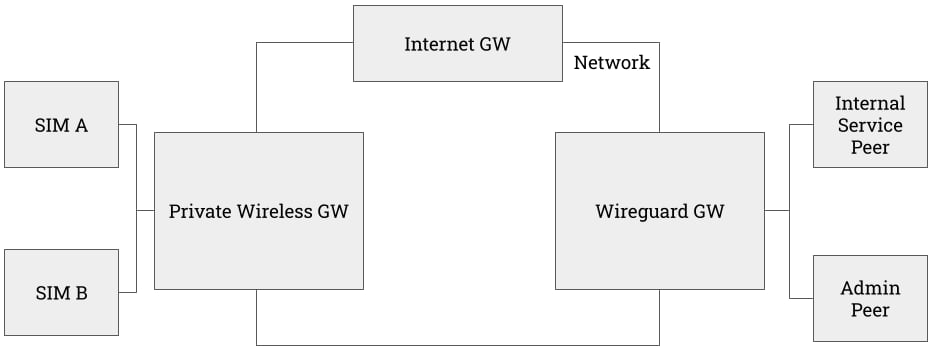 Follow the procedure outlined in this guide to set up an IGW on the same network.
At this point, the iPhone has internet reachability in addition to the WGW subnet and the PGW subnet.
Follow the procedure outlined in this guide to set up an IGW on the same network.
At this point, the iPhone has internet reachability in addition to the WGW subnet and the PGW subnet.
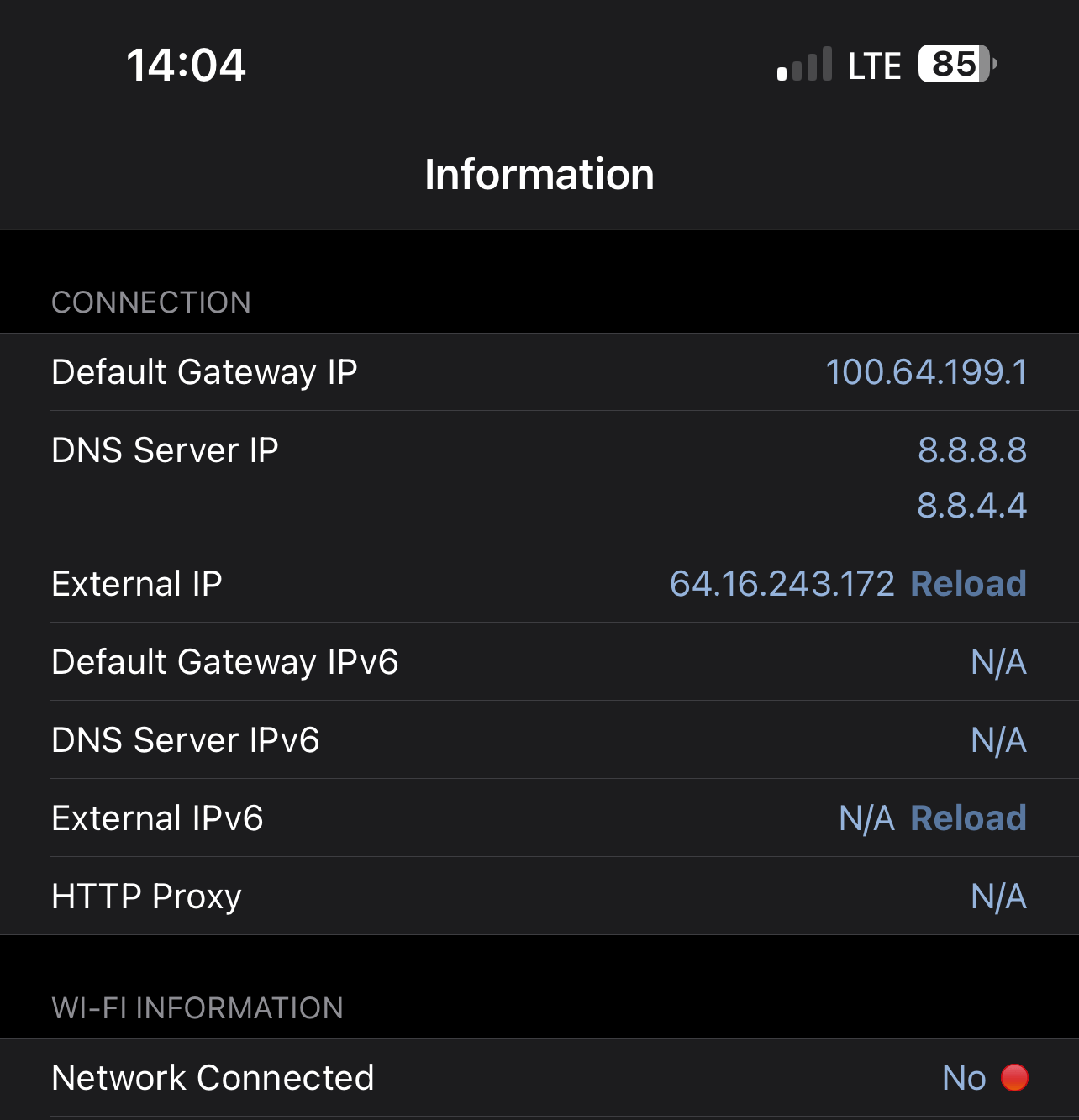
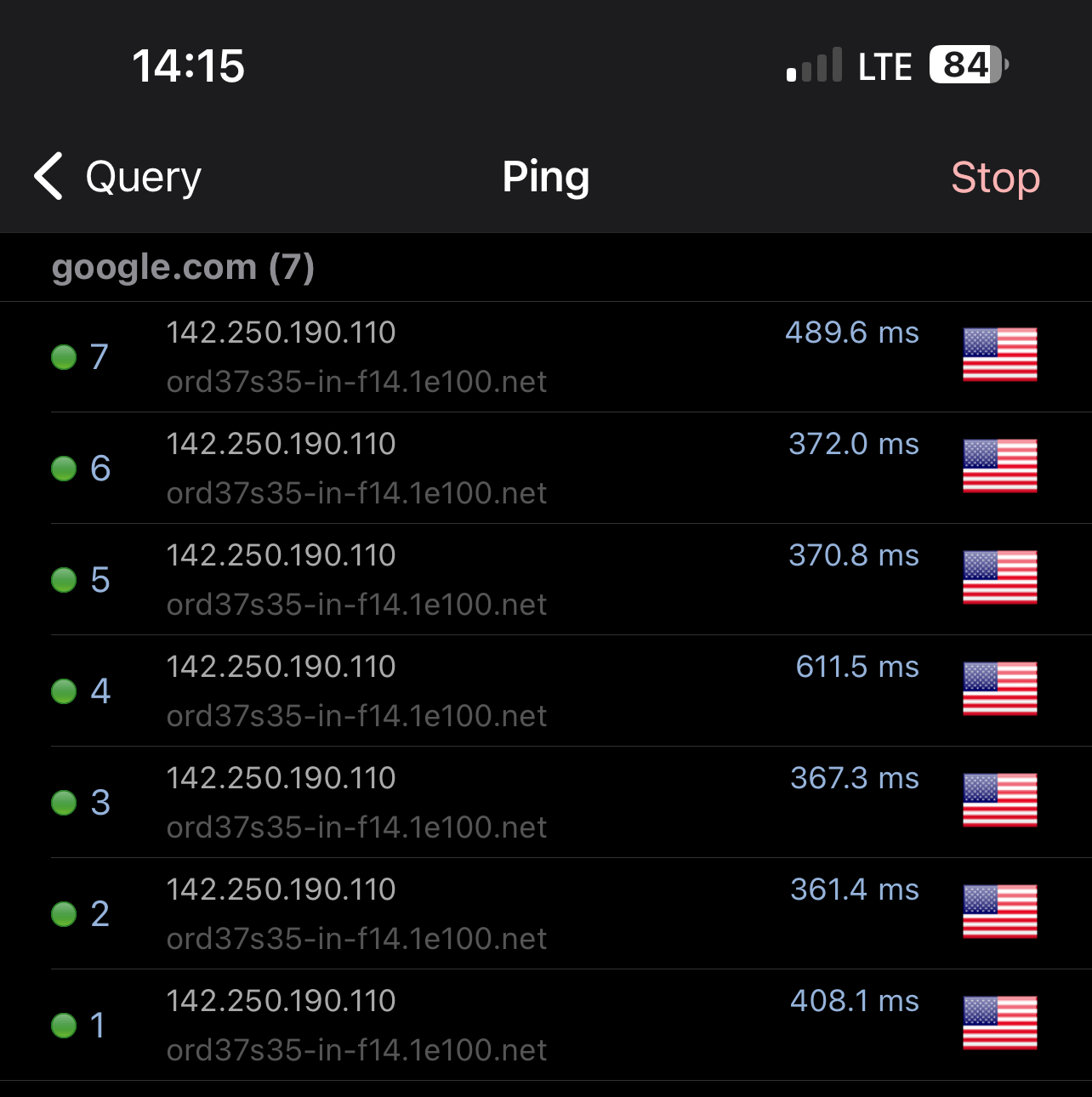 In the above screenshots,
- the iPhone’s wifi is turned off
- its “Default Gateway IP” is
100.64.199.1 which is that of the PGW
- its “External IP” is
64.16.243.172 which is that of the IGW
- it can ping
google.com
Roundtrip ping time is high since in this example, the PGW is in Ashburn US while the IGW is in Frankfurt DE.
Use Case 3: PWG + WGW + IGW + VXC
Currently, the PWG + WGW + IGW + VXC combination only works when WGW, IGW, and VXC are at the Frankfurt Site.
We are working on expanding the coverage so it will work universally across all Telnyx sites.
- a VXC from AWS
eu-central-1
- an EC2 in AWS
eu-central-1 running a toy Apache server.
For detailed VXC guide on AWS and other providers, please refer to this collection of guides
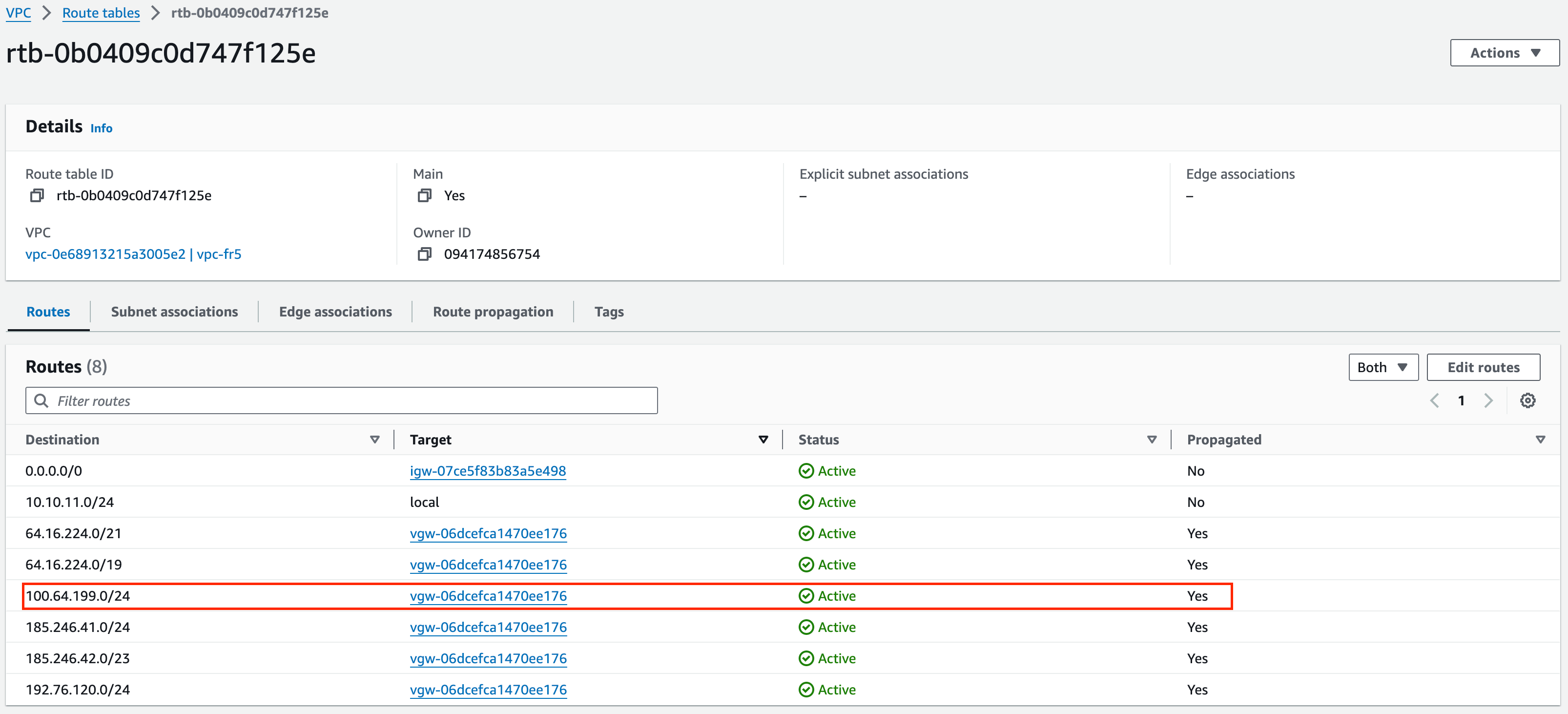
 In AWS’s VPC, we can see the routes from Telnyx’s public APIs AND the SIMs’ private IP ranges are advertised and propagated.
 This is also validated by the
 traceroute output from within the EC2 instance. Latency is high as expected since the EC2 is in Frankfurt while the device is attached to a PGW in Ashburn.
ubuntu@ip-10-10-11-9:~$ traceroute 100.64.199.1
traceroute to 100.64.199.1 (100.64.199.1), 64 hops max
  1   169.254.237.21  0.916ms  1.091ms  1.079ms
  2   169.254.69.2  0.911ms  0.827ms  0.816ms
  3   169.254.69.1  1.398ms  1.347ms  1.338ms
  4   100.100.100.1  1.833ms  1.782ms  1.769ms
  5   100.65.72.1  120.938ms  120.001ms  119.756ms
  6   64.16.254.219  119.999ms  119.879ms  119.924ms
  7   64.16.254.71  119.758ms  119.691ms  120.006ms
  8   *  *  *
  9   169.254.208.167  119.488ms  119.552ms  119.599ms
 10   172.22.25.82  120.438ms  120.072ms  119.640ms
 11   100.64.199.1  274.343ms  252.264ms  246.660ms
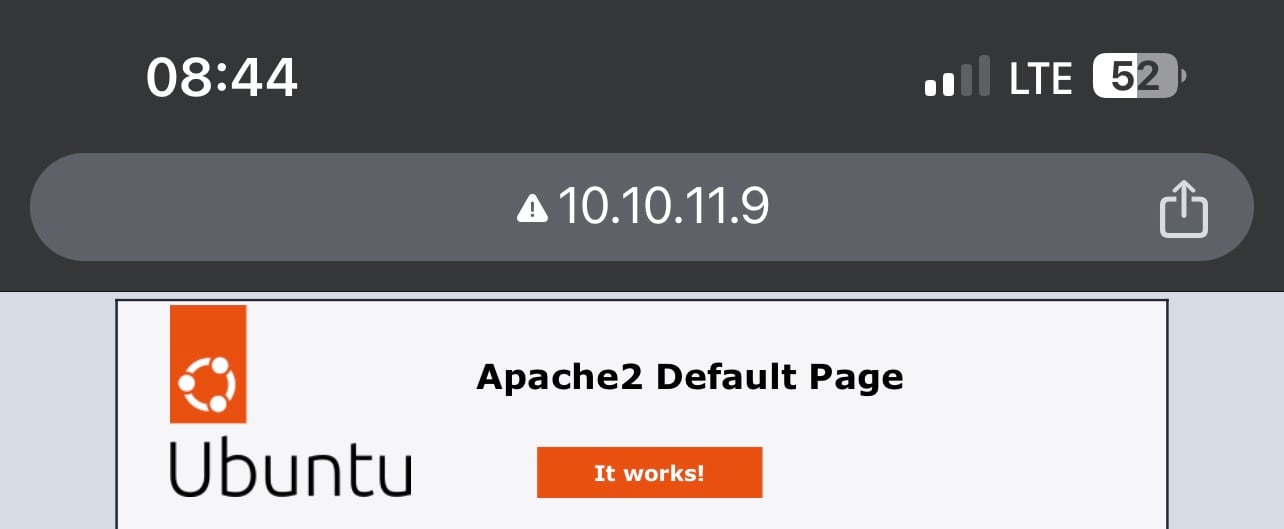
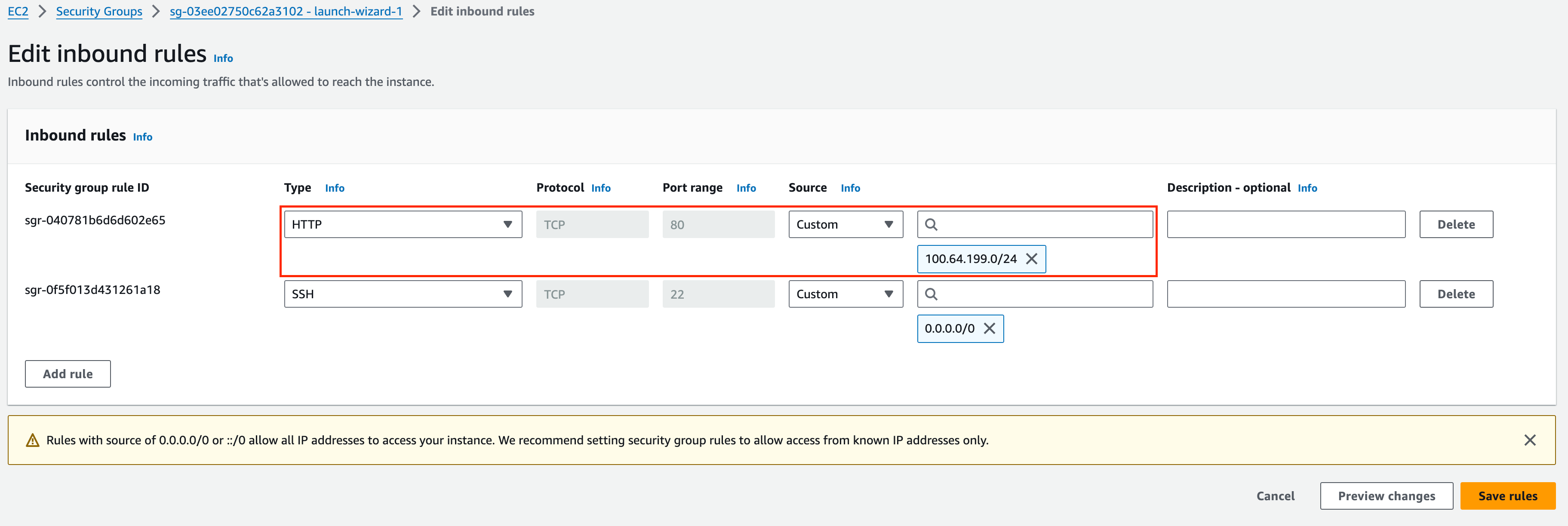 From the iPhone, the server is clearly accessible via private IP.
Costs
- The monthly recurring cost (MRC) for each instance of PGW is $100.
- Additional costs on SIM and data are applicable as well. Consult this guide for more detail.
API References

