Prerequisites to complete the Pepwave MAX BR1 Mini setup
- A Telnyx Portal account and active Telnyx SIM card with data plan. Check out this Quickstart Guide to get set up.
- The Pepwave Max BRI Mini LTE Device.
- A computer.
- The latest firmware, which can be obtained here.
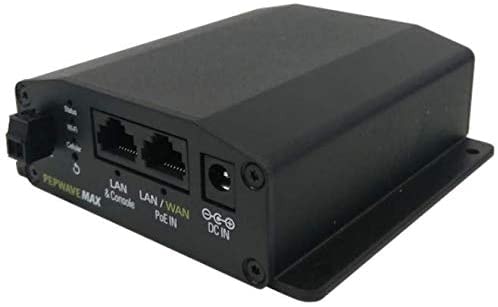
Instructions for setting up your Pepwave MAX BR1 Mini
- To start, insert the Telnyx SIM card into either SIM A or SIM B slot on the device and power on the device.The device only accepts the standard size SIM card (the largest SIM card included in the kit).
- Connect to the device either via the WiFi credentials listed on the unit below the device or via the WAN/LAN Ethernet port located on the back of the device.
-
Navigate to
192.168.50.1, this is the default gateway of the device. Now, log in, the default username and password are bothadmin.
-
Update the device firmware by navigating to
System, thenFirmware, and uploading the firmware file. This may take up to 8 minutes.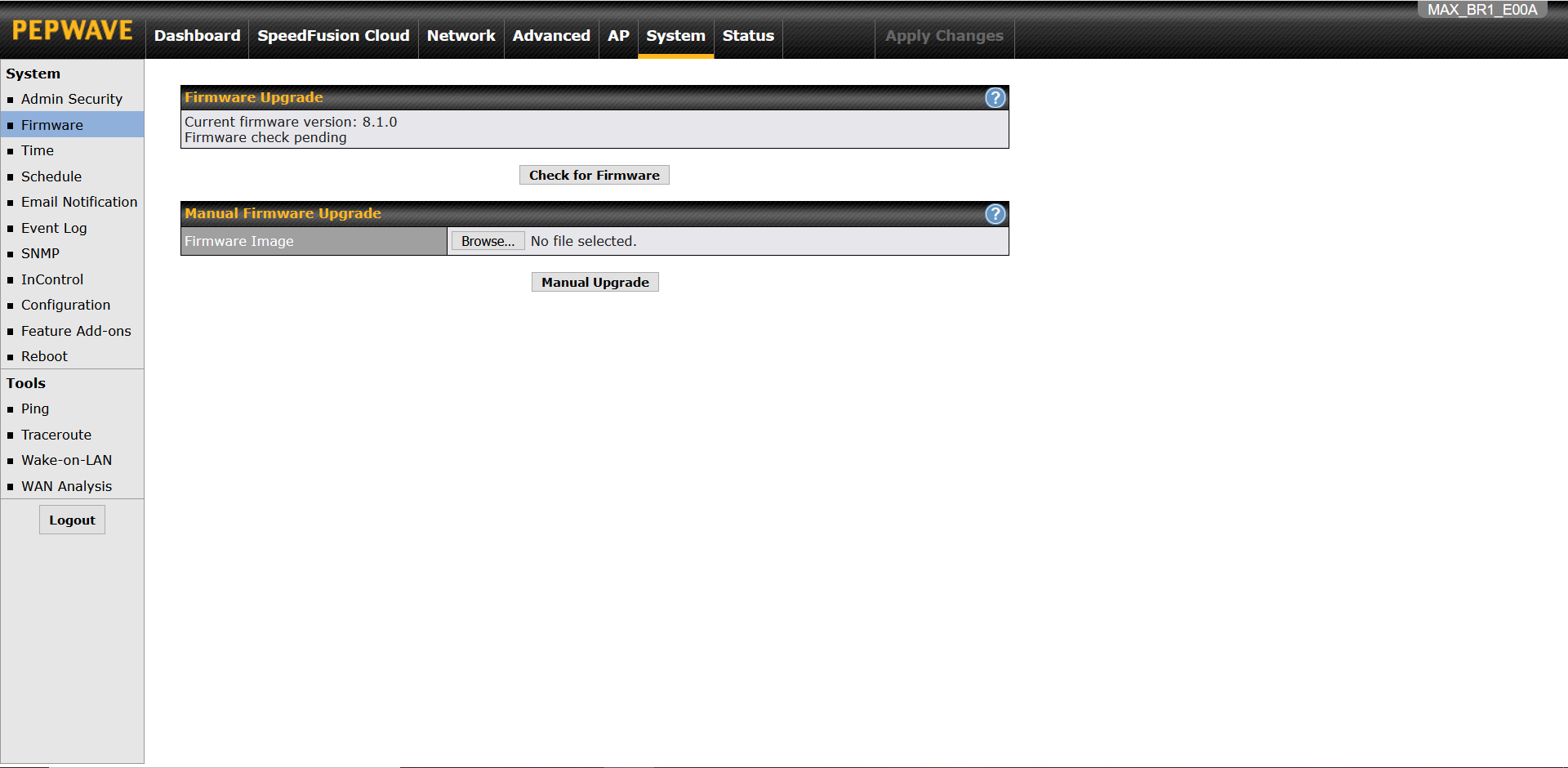
-
Once the update process is complete, you’ll be directed to the
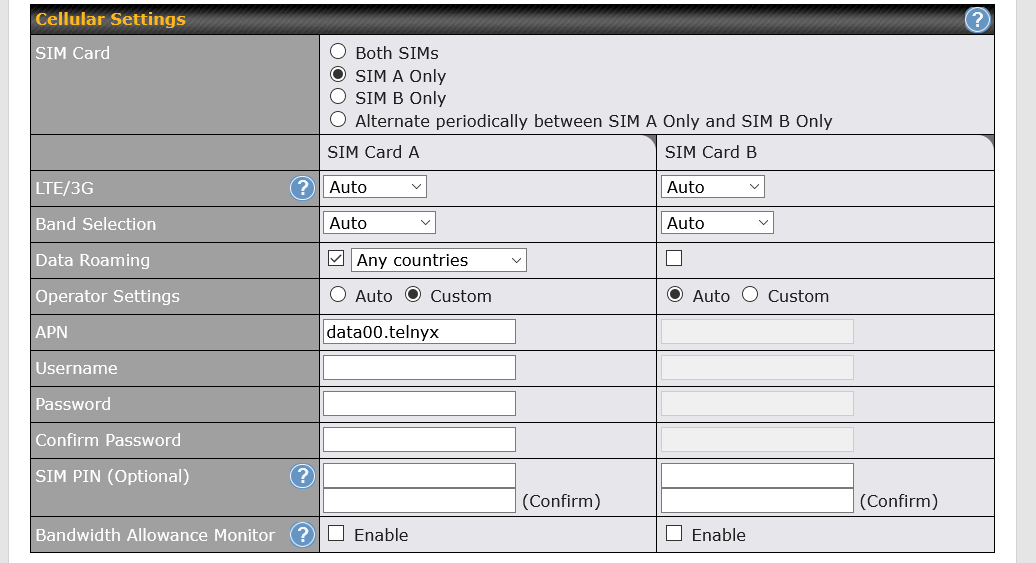
Dashboardstab. Click onDetailsunder WAN Connection Status. Then, scroll down toCellular Settingsand make modifications as shown below:- SIM Card: Specified in Step 1 of this guide
- LTE/3G: Auto
- Band Selection: Auto
- Data Roaming: Checked, Any Countries
- APN: Custom, data00.telnyx
- Username: Leave blank
- Password: Leave blank
-
Scroll down to the end of this page and press
Save and Apply. -
It’ll take about 2 minutes to connect and you can verify connectivity by checking the
WAN Connection Statusunder theDashboardstab. This will show that you’re connected to Telecom Italia Mobile.