

Telnyx.Ultra.<voice>
Sub-100ms latency. 38 languages.
Ultra voices tagged as deprecated remain usable, but will not receive upgrades.
Voice Samples
Cloned Voices
Ultra also synthesizes organization-scoped voice clones:Telnyx.Ultra.<provider_voice_id>. Create one with POST /v2/voice_clones/from_upload and model_id: "Ultra". Creation is asynchronous: poll the clone until its status is active before you use it. See Voice Clone API parameters.
Cloned voice usage requires L2 identity verification or the voice.cloned_voice_usage: allowed capability on the organization.
Expressive Mode for AI Assistants
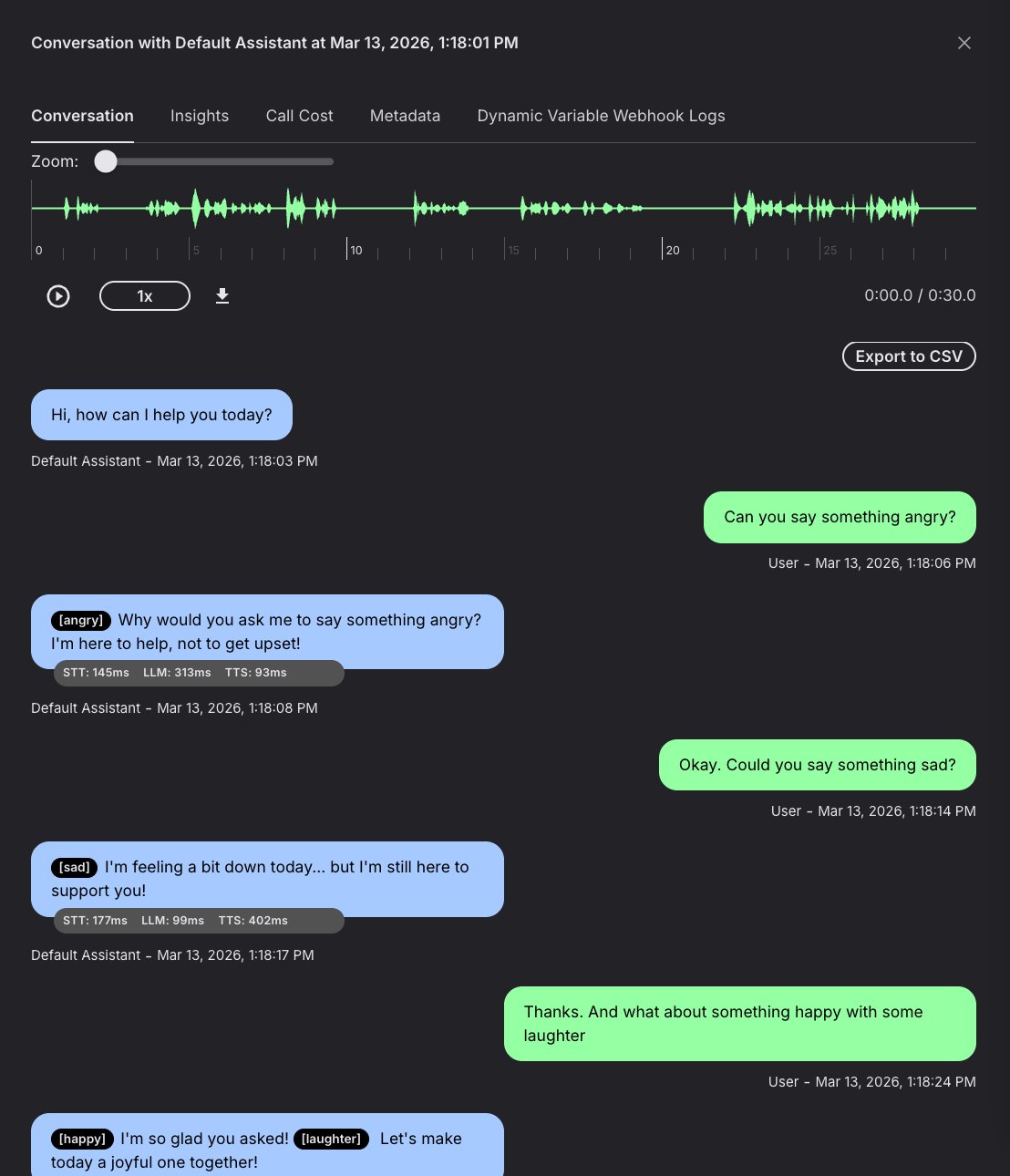
Enable Expressive Mode when using an Ultra voice with AI Assistants. The assistant can select emotion tags and nonverbal cues from the conversation context without hard-coding each expression in the system prompt. For example, an assistant can use an excited tone for good news, respond empathetically to a problem, insert[laughter] in a friendly exchange, and keep routine information neutral.
Enable in the portal
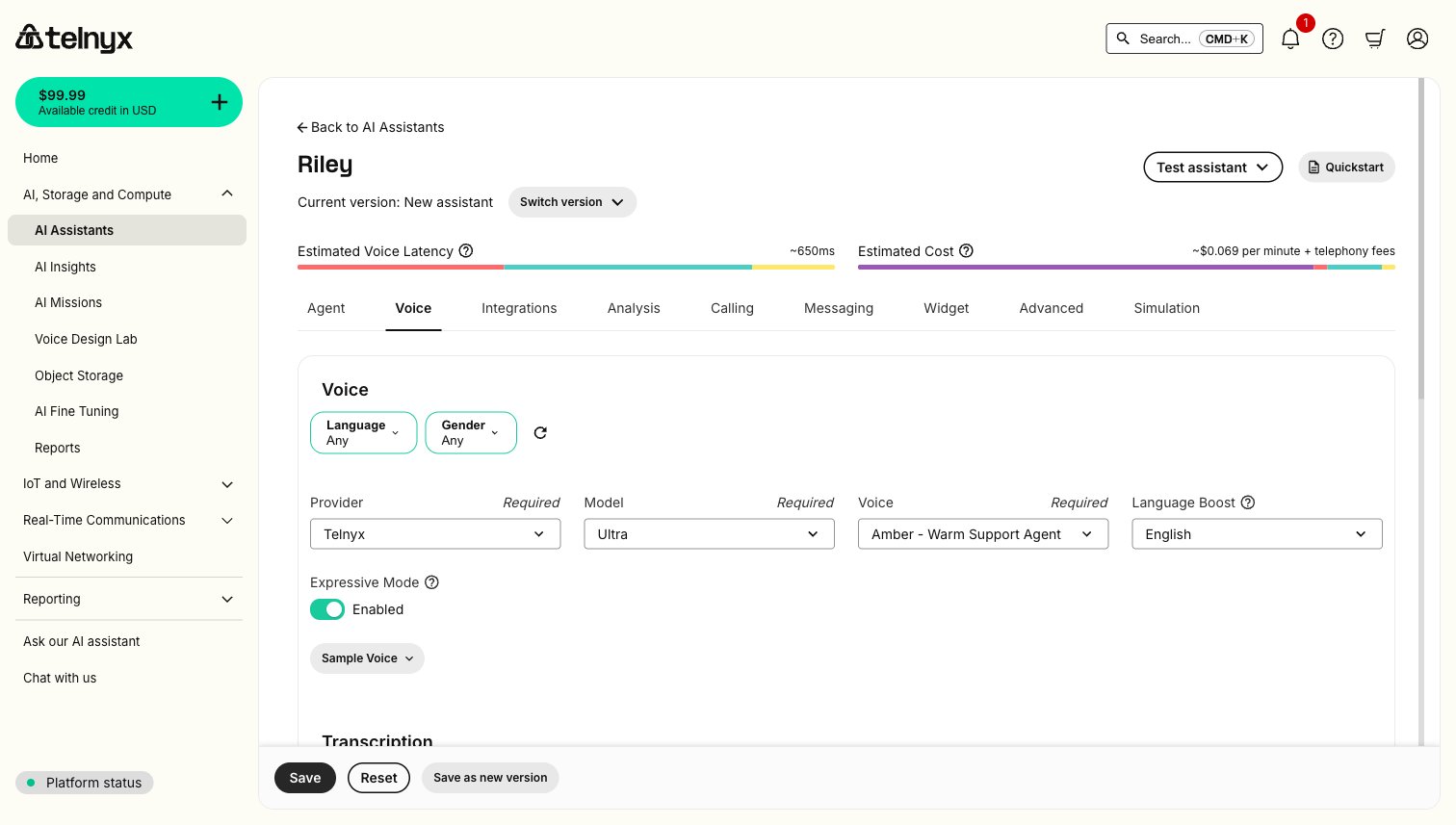
- Open the assistant in the Telnyx Portal.
- Under Voice Settings, select a
Telnyx.Ultra.*voice. - Enable Expressive Mode.
- Save the assistant.
Enable via API
Setexpressive_mode: true in the assistant’s voice_settings:
SSML Emotions
Ultra supports inline SSML emotion tags. Place the tag before the text:angry, excited, content, sad, scared.
Additional: happy, enthusiastic, curious, calm, grateful, affectionate, sarcastic, surprised, confident, hesitant, apologetic, determined, frustrated, disappointed.
Omitting the tag = neutral delivery. Use sparingly — Ultra interprets emotional subtext from the text itself.
Pauses and Pacing
Insert<break time="Xs" /> inline to add a pause. Use short pauses for pacing and emphasis; longer pauses can make a caller think the call dropped.
Repeat an ID slowly by splitting it into groups:
Nonverbal Cues
Insert[laughter] inline for natural laughing:
Language Support
Setlanguage_boost to improve pronunciation for the target language:
Arabic, Bengali, Bulgarian, Chinese, Czech, Danish, Dutch, English, Finnish, French, German, Gujarati, Hebrew, Hindi, Indonesian, Italian, Japanese, Korean, Malay, Marathi, Māori, Norwegian, Odia, Polish, Portuguese, Punjabi, Romanian, Russian, Slovak, Spanish, Swedish, Tamil, Telugu, Thai, Turkish, Ukrainian, Urdu, Vietnamese.
REST API
Fields
Response
Default (binary_output): chunked audio bytes with Content-Type: audio/mpeg.
With output_type: "base64_output": JSON with base64-encoded audio.
With output_type: "audio_id": JSON with an audio_url for deferred retrieval.