> ## Documentation Index
> Fetch the complete documentation index at: https://developers.telnyx.com/llms.txt
> Use this file to discover all available pages before exploring further.
# Buy a Phone Number
> Complete guide to purchasing phone numbers for Voice, Messaging, Fax, and other Telnyx services through the Portal and API.
Phone numbers are essential for most Telnyx services including Voice API, Messaging, and Fax. This guide shows you how to purchase numbers through both the Mission Control Portal and programmatically via API.
## Via Mission Control Portal
1. Navigate to **Real-Time Communication** > **Numbers** > **Buy Numbers** in the left sidebar.
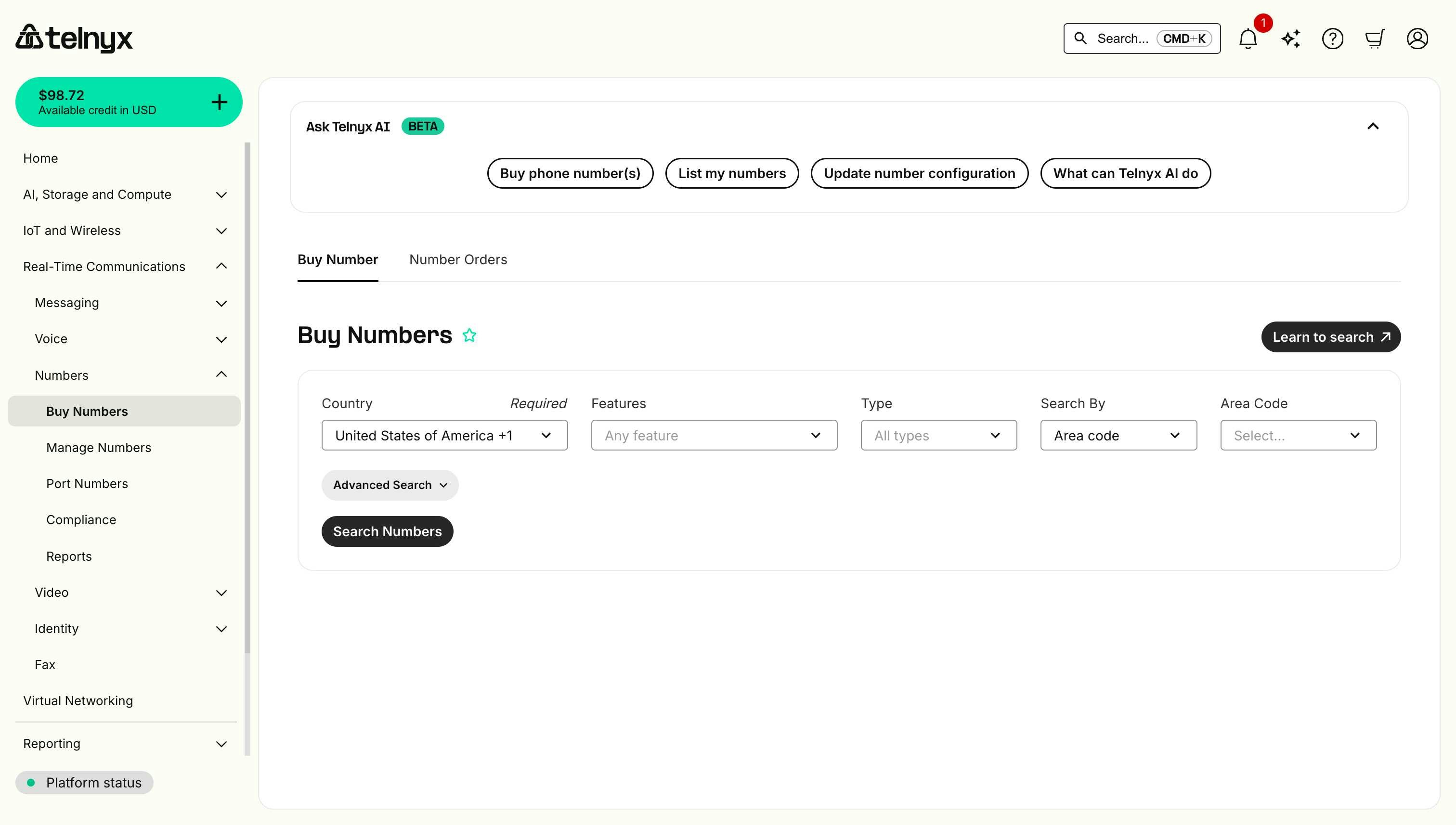 2. Select your search criteria:
* Country (e.g., United States).
* Features (SMS, Voice, Fax, etc).
* Number type (Local, Toll-Free, etc.).
* State/Region.
* City/Area Code.
3. Click **Search**.
4. Choose a number from the results.
2. Select your search criteria:
* Country (e.g., United States).
* Features (SMS, Voice, Fax, etc).
* Number type (Local, Toll-Free, etc.).
* State/Region.
* City/Area Code.
3. Click **Search**.
4. Choose a number from the results.
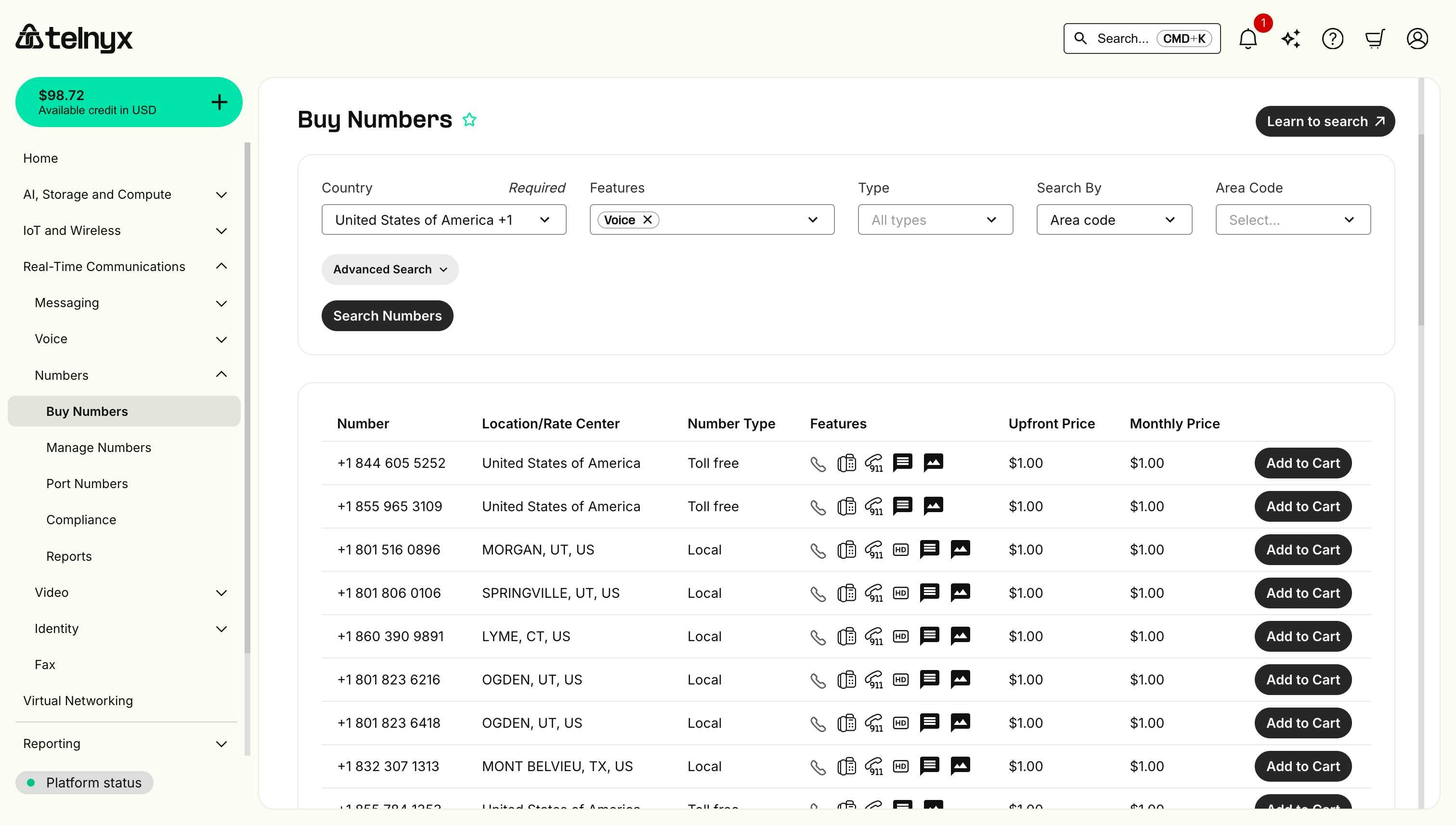 5. Click **Add to Cart** next to your chosen number.
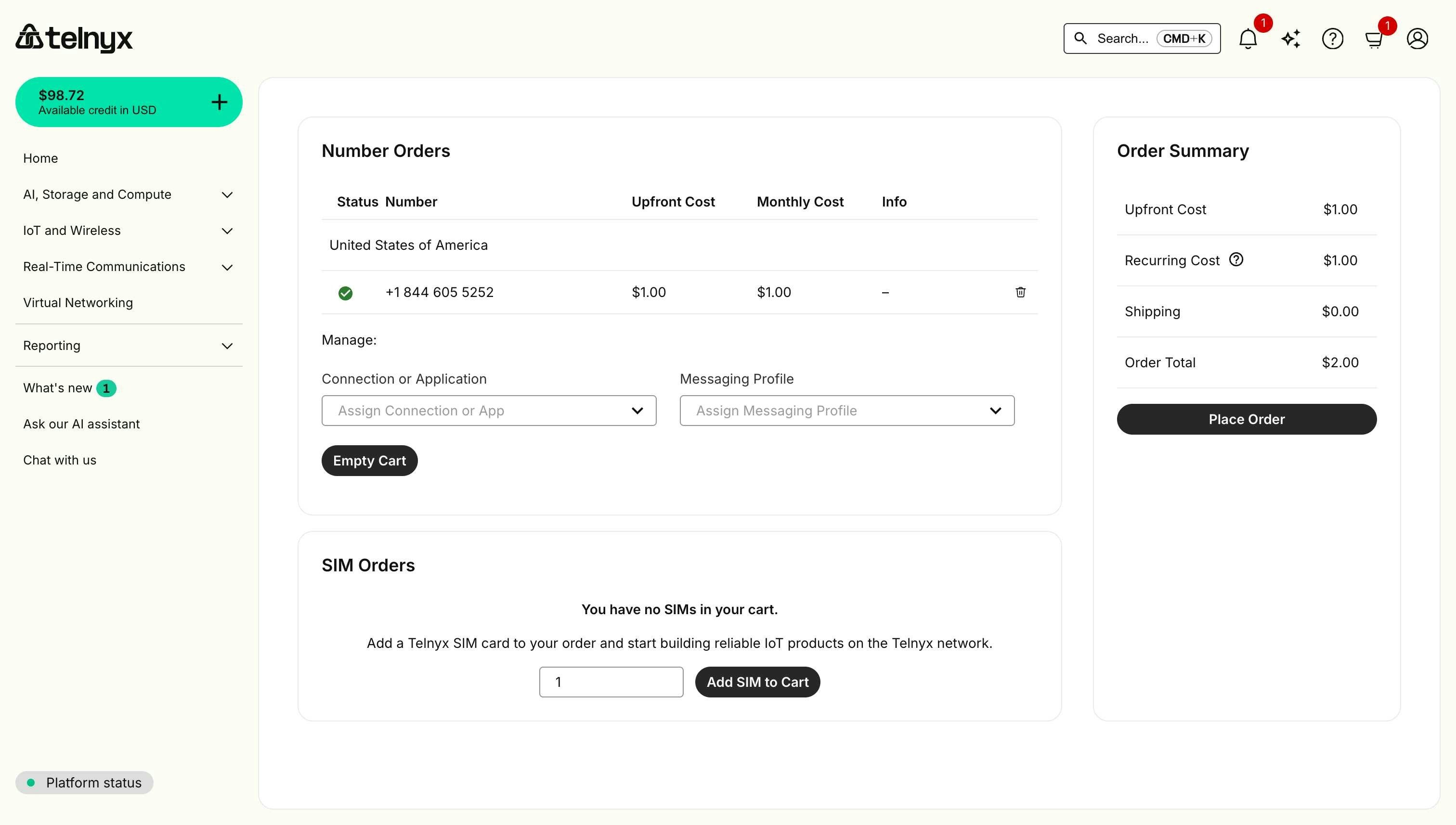
6. Confirm the purchase by clicking **Place Order**.
5. Click **Add to Cart** next to your chosen number.
6. Confirm the purchase by clicking **Place Order**.
 ## Via API
You can also purchase numbers programmatically:
```bash theme={null}
# Search for available numbers
curl -X GET \
--header "Authorization: Bearer your_api_key" \
"https://api.telnyx.com/v2/available_phone_numbers?filter[country_code]=US&filter[locality]=Chicago"
# Purchase a specific number
curl -X POST \
--header "Content-Type: application/json" \
--header "Authorization: Bearer your_api_key" \
--data '{
"phone_numbers": [{"phone_number": "+13125551234"}]
}' \
"https://api.telnyx.com/v2/number_orders"
```
## Next Steps
After purchasing your phone number, you'll typically need to:
* **For Voice applications**: Assign it to a Voice API Application or SIP Connection.
* **For Messaging**: Configure it with a Messaging Profile.
* **For Fax**: Set up Fax Application settings.
## Via API
You can also purchase numbers programmatically:
```bash theme={null}
# Search for available numbers
curl -X GET \
--header "Authorization: Bearer your_api_key" \
"https://api.telnyx.com/v2/available_phone_numbers?filter[country_code]=US&filter[locality]=Chicago"
# Purchase a specific number
curl -X POST \
--header "Content-Type: application/json" \
--header "Authorization: Bearer your_api_key" \
--data '{
"phone_numbers": [{"phone_number": "+13125551234"}]
}' \
"https://api.telnyx.com/v2/number_orders"
```
## Next Steps
After purchasing your phone number, you'll typically need to:
* **For Voice applications**: Assign it to a Voice API Application or SIP Connection.
* **For Messaging**: Configure it with a Messaging Profile.
* **For Fax**: Set up Fax Application settings.