> ## Documentation Index
> Fetch the complete documentation index at: https://developers.telnyx.com/llms.txt
> Use this file to discover all available pages before exploring further.
# Pepwave Max BR1 Mini LTE Setup Guide
> Configure a Pepwave MAX BR1 Mini LTE router with a Telnyx IoT SIM. Step-by-step APN, WAN, and SIM setup to bring the device online quickly.
**Original location:** Wireless > IoT > pepwave-max-br1-mini-lte
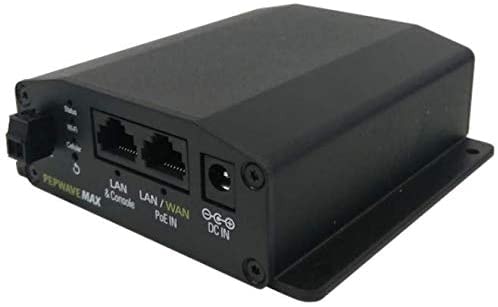
The Pepwave MAX BR1 Mini is the latest industrial-grade, 4G LTE router from Peplink. This capable router is heavy on features while keeping a lightweight, small footprint, suitable for installation just about anywhere.
Whether the BR1 Mini is installed in a vehicle, used in M2M deployments, or will provide cellular backup or Out of Band Management to a home or office, it has great performance and works seamlessly with Telnyx Wireless SIMs.
This guide will walk you through how to set up the Pepwave Max BRI Mini LTE cellular router with a Telnyx SIM card.
Note: this is a standalone setup guide; it does not utilize the InControl Cloud Controller.
## Prerequisites to complete the Pepwave MAX BR1 Mini setup
1. A Telnyx Portal account and active Telnyx SIM card with data plan. Check out this [Quickstart Guide](/docs/iot-sim/get-started) to get set up.
2. The Pepwave Max BRI Mini LTE Device.
3. A computer.
4. The latest firmware, which can be obtained [here](https://www.peplink.com/support/downloads).
 Alright, let's get started!
***
## Instructions for setting up your Pepwave MAX BR1 Mini
1. To start, insert the Telnyx SIM card into either SIM A or SIM B slot on the device and power on the device.The device only accepts the standard size SIM card (the largest SIM card included in the kit).
2. Connect to the device either via the WiFi credentials listed on the unit below the device or via the WAN/LAN Ethernet port located on the back of the device.
3. Navigate to `192.168.50.1`, this is the default gateway of the device. Now, log in, the default username and password are both `admin`.
Alright, let's get started!
***
## Instructions for setting up your Pepwave MAX BR1 Mini
1. To start, insert the Telnyx SIM card into either SIM A or SIM B slot on the device and power on the device.The device only accepts the standard size SIM card (the largest SIM card included in the kit).
2. Connect to the device either via the WiFi credentials listed on the unit below the device or via the WAN/LAN Ethernet port located on the back of the device.
3. Navigate to `192.168.50.1`, this is the default gateway of the device. Now, log in, the default username and password are both `admin`.
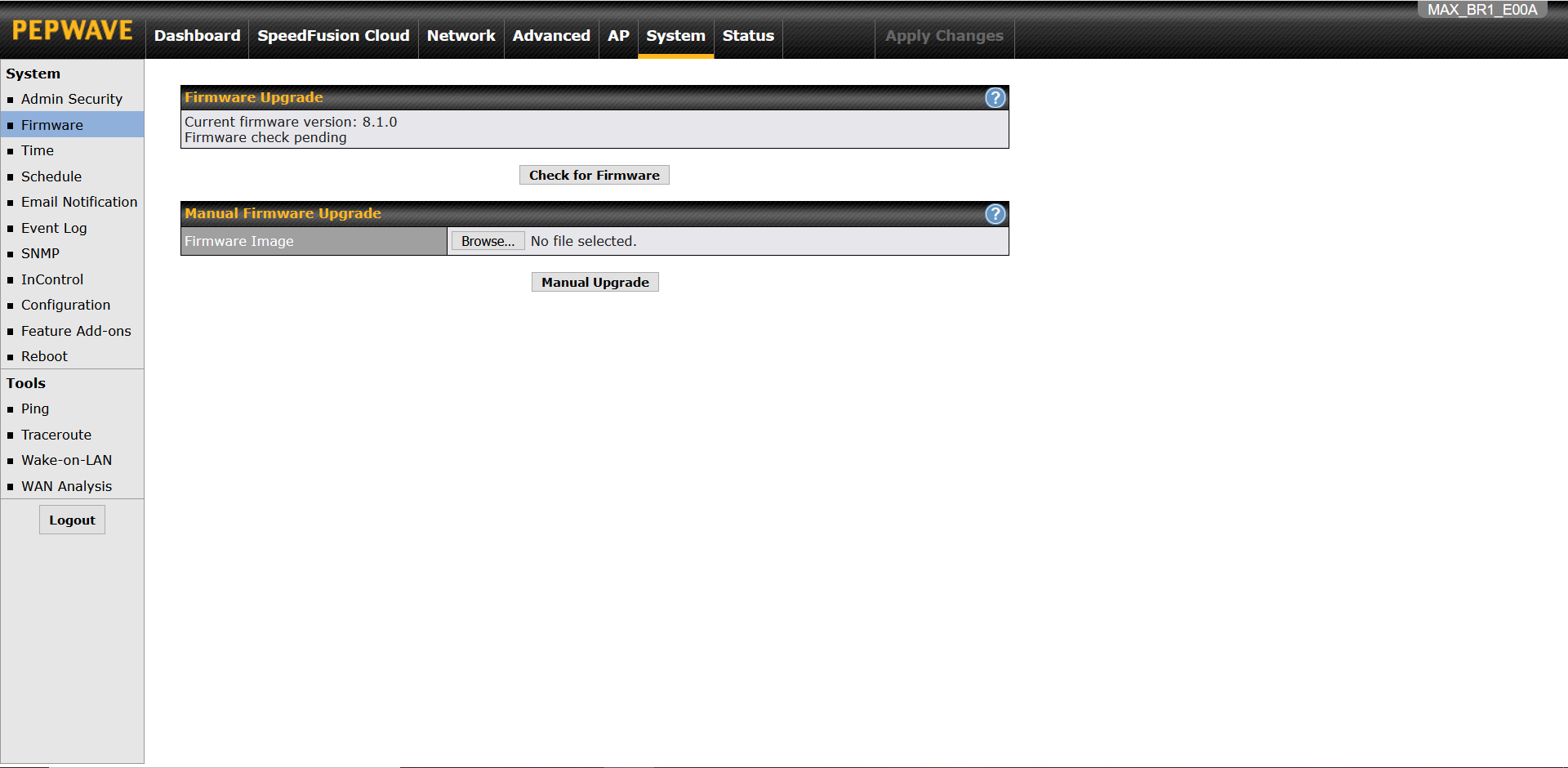
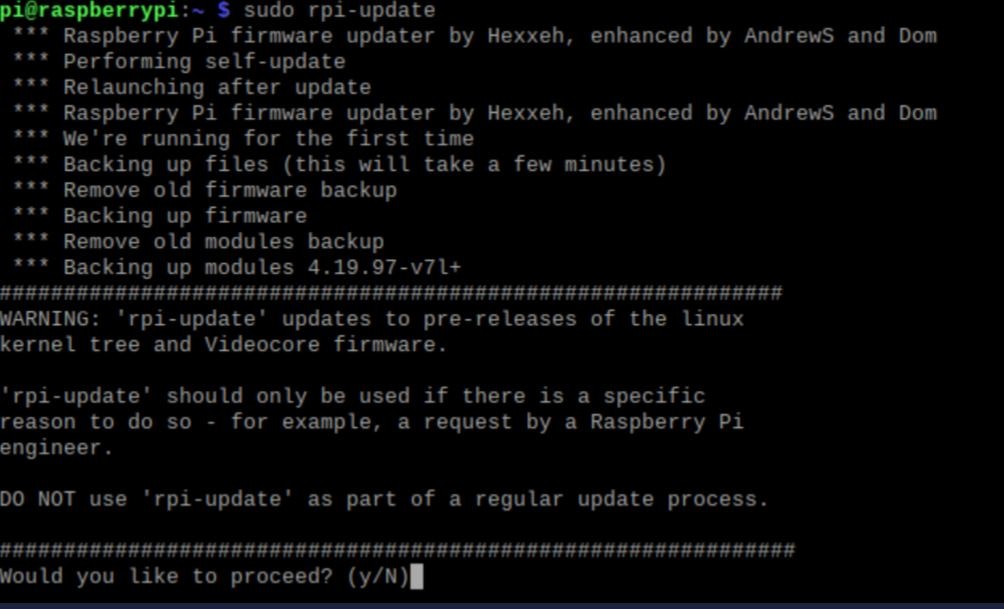 4. Update the device firmware by navigating to `System`, then `Firmware`, and uploading the firmware file. This may take up to 8 minutes.
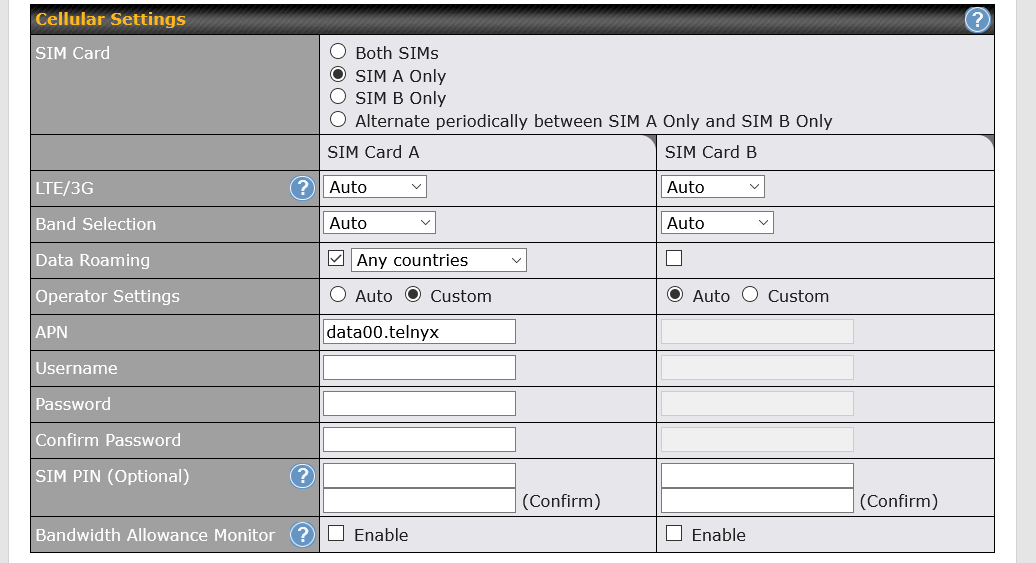
 5. Once the update process is complete, you'll be directed to the `Dashboards` tab. Click on `Details` under WAN Connection Status. Then, scroll down to `Cellular Settings` and make modifications as shown below:
* SIM Card: Specified in Step 1 of this guide
* LTE/3G: Auto
* Band Selection: Auto
* Data Roaming: Checked, Any Countries
* APN: Custom, data00.telnyx
* Username: Leave blank
* Password: Leave blank
5. Once the update process is complete, you'll be directed to the `Dashboards` tab. Click on `Details` under WAN Connection Status. Then, scroll down to `Cellular Settings` and make modifications as shown below:
* SIM Card: Specified in Step 1 of this guide
* LTE/3G: Auto
* Band Selection: Auto
* Data Roaming: Checked, Any Countries
* APN: Custom, data00.telnyx
* Username: Leave blank
* Password: Leave blank
 6. Scroll down to the end of this page and press `Save and Apply`.
7. It'll take about 2 minutes to connect and you can verify connectivity by checking the `WAN Connection Status` under the `Dashboards` tab. This will show that you're connected to Telecom Italia Mobile.
6. Scroll down to the end of this page and press `Save and Apply`.
7. It'll take about 2 minutes to connect and you can verify connectivity by checking the `WAN Connection Status` under the `Dashboards` tab. This will show that you're connected to Telecom Italia Mobile.
 That's it! You've just set up your Pepwave Max BRI Mini LTE cellular router with a Telnyx SIM card.